Quick RTX 5070 and RTX 5070 Ti CPU recommendations
For most RTX 5070 and RTX 5070 Ti gaming builds, the Ryzen 7 9800X3D is the strongest high-FPS gaming pick, while the Ryzen 5 9600X is the smarter budget AM5 choice. At 1440p and 4K, the GPU usually carries more of the load, so many users do not need the most expensive CPU. At 1080p high refresh rates, CPU choice matters much more.
The right CPU depends on resolution, refresh rate, current platform, and budget. That is why this guide avoids fake bottleneck percentages and gives practical upgrade paths instead.
If you want the safest gaming CPU for RTX 5070 or RTX 5070 Ti, choose Ryzen 7 9800X3D. If you want strong value on AM5, choose Ryzen 5 9600X or Ryzen 7 9700X. If you already own AM4, Ryzen 7 5700X3D can save you from replacing the motherboard and RAM.
| CPU | Platform | Best for | RTX 5070 fit | RTX 5070 Ti fit | Upgrade note |
|---|---|---|---|---|---|
| Ryzen 7 9800X3D | AM5, DDR5 | High-FPS gaming, 1080p high refresh, CPU-heavy games | Top-tier, best when chasing 144Hz or 240Hz | Top-tier, safest choice for high-refresh builds | Best gaming-first pick if budget allows |
| Ryzen 7 9700X | AM5, DDR5 | Balanced 1440p builds and long-term AM5 value | Very good for 1440p | Good for 1440p and 4K | Good middle option if 9800X3D costs too much |
| Ryzen 5 9600X | AM5, DDR5 | Budget AM5 gaming at 1440p and 4K | Strong value | Good at 1440p and 4K, less ideal for 1080p 240Hz | Best value AM5 entry point |
| Ryzen 7 5700X3D | AM4, DDR4 | Existing AM4 owners | Good upgrade without a full rebuild | Reasonable, strongest at 1440p and 4K | Keeps old motherboard and RAM |
| Intel Core Ultra 7 265K / 265KF | LGA1851, DDR5 | Gaming plus streaming, recording, editing, multitasking | Good | Good, especially for mixed workloads | Pick Intel when productivity matters too |
The RTX 5070 family uses NVIDIA Blackwell, GDDR7 memory, DLSS 4.5, and newer ray tracing hardware according to NVIDIA’s official RTX 5070 family page. That makes CPU pairing more important at high frame rates, but less dramatic once you move into heavier 1440p and 4K GPU loads.
Why resolution changes the best CPU choice
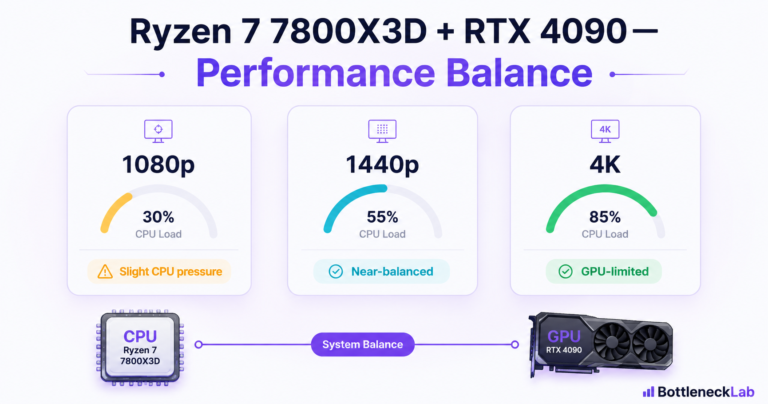
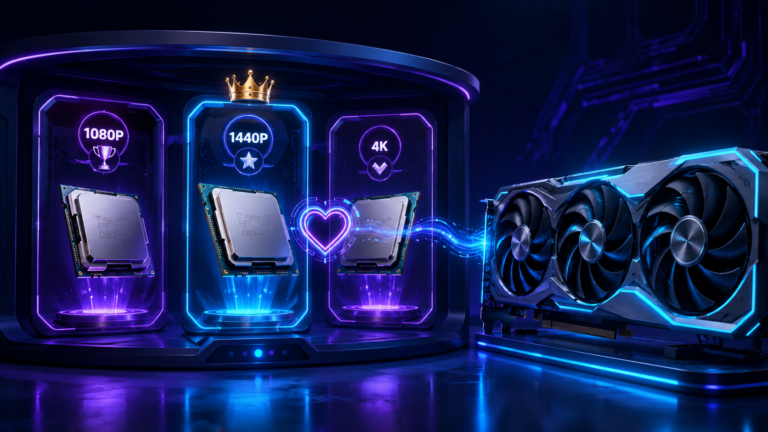
The same RTX 5070 build can feel CPU-sensitive at 1080p and GPU-heavy at 4K. At 1080p, the graphics card can finish frames quickly, so the CPU must prepare game logic, draw calls, physics, and background work faster. At 1440p and 4K, the GPU spends more time on each frame, especially with ray tracing, high textures, and heavier visual settings.
Best for esports and high refresh rate monitors. CPU choice affects 1% lows, frame time, and frame pacing more here.
The best fit for RTX 5070 and RTX 5070 Ti buyers who want sharp visuals without wasting money on overkill CPU parts.
The GPU becomes the main limit in most AAA gaming. CPU upgrades help less unless you also stream or run heavy background tasks.
For a deeper resolution breakdown, compare this with the 1080p bottleneck guide, the 1440p bottleneck guide, and the 4K gaming bottleneck guide.
Best CPU for RTX 5070 at 1080p
At 1080p, the best CPU for RTX 5070 is the one that protects frame time, not just average FPS. This matters most on 144Hz and 240Hz monitors, where poor 1% lows can make a game feel uneven even when average FPS looks high.
For 1080p high refresh
Ryzen 7 9800X3D is the safest gaming-first choice. AMD positions it as an AM5 Zen 5 X3D part with 3D V-Cache, PCIe 5.0, and DDR5 support on its official Ryzen 7 9800X3D page.
For 1080p value
Ryzen 5 9600X still makes sense if you play at 144Hz instead of chasing 240Hz in CPU-heavy games. It is the better money-saving pick for players who would rather spend more on the GPU or monitor.
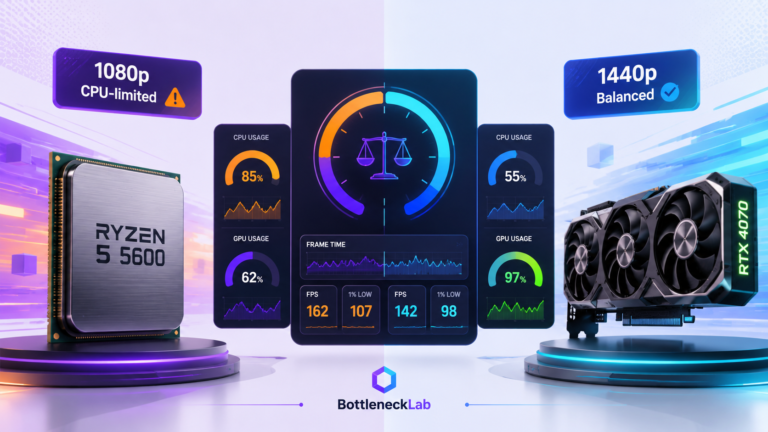
Do not judge this only by average FPS. Watch 1% lows, frame time spikes, and GPU usage. If the GPU is not staying heavily loaded in a demanding game, the CPU may be limiting the RTX 5070.
Best CPU for RTX 5070 at 1440p
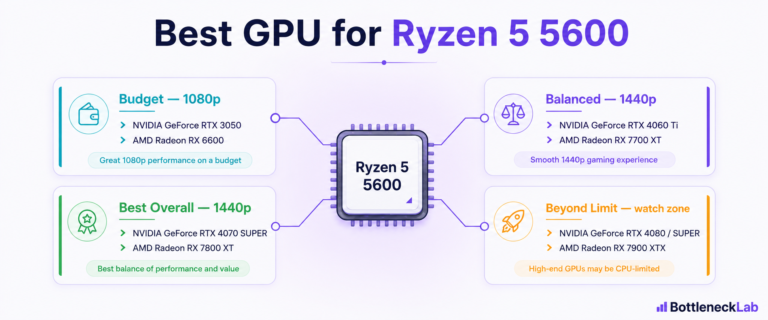
At 1440p, most RTX 5070 buyers do not need the most expensive CPU. A Ryzen 5 9600X or Ryzen 7 9700X is usually a cleaner value choice than forcing a top X3D chip into every build.
If you play mostly 1440p AAA games, spend first on the GPU, monitor, SSD, and enough RAM. Move to Ryzen 7 9800X3D only if you also play CPU-heavy esports, simulation, strategy, or high-refresh games.
This is also where the BottleneckLab calculator helps. Run your exact CPU, GPU, resolution, and use case before assuming your CPU is the problem.
Best CPU for RTX 5070 Ti at 1440p
The RTX 5070 Ti can expose weak CPUs sooner than the RTX 5070 because it has more GPU headroom. Tom’s Hardware found the RTX 5070 Ti can handle 1440p and 4K, while also noting that cards in this class can run into CPU limits at 1080p. Their RTX 5070 Ti review supports the same resolution-first logic used here.
For 1440p high refresh, Ryzen 7 9800X3D is the cleanest performance pick. For normal 1440p gaming, Ryzen 7 9700X or Ryzen 5 9600X can still be sensible. The right answer depends on whether you are chasing stable high FPS or simply want a strong 1440p AAA setup.
Best CPU for RTX 5070 Ti at 4K
At 4K, do not overspend on the CPU just because the GPU is expensive. RTX 5070 Ti at 4K is usually limited more by the graphics card, VRAM load, ray tracing settings, DLSS quality mode, and game engine behavior than by small CPU differences.
If you already have a decent modern Ryzen 5, Ryzen 7, Core i5, or Core i7, test the system first. A full platform upgrade may not change much at 4K if your GPU is already near full usage.
Use the 4K gaming bottleneck guide to understand why higher resolution usually shifts pressure toward the GPU.
Best budget CPU for RTX 5070 and RTX 5070 Ti
The best budget CPU for RTX 5070 is not the cheapest chip you can find. It is the cheapest CPU that keeps the build balanced for your resolution.
Good for RTX 5070 and RTX 5070 Ti at 1440p and 4K when you are not chasing 240Hz CPU-heavy gaming.
If your current CPU already keeps GPU usage high in your games, upgrading the CPU first may waste money.
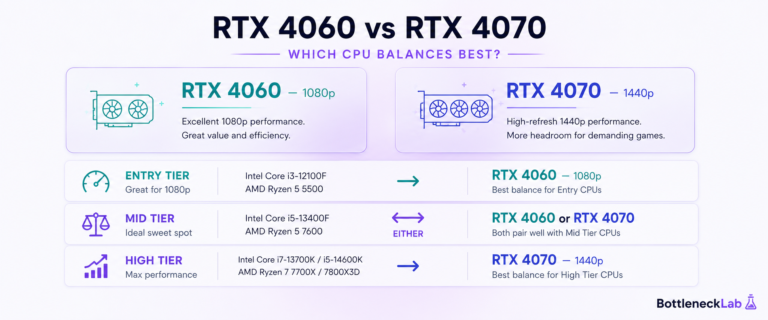
For buyers moving up from older NVIDIA cards, compare your current path with our best CPU for RTX 4070 and best CPU for RTX 4080 guides. They help show how CPU needs change across GPU tiers.
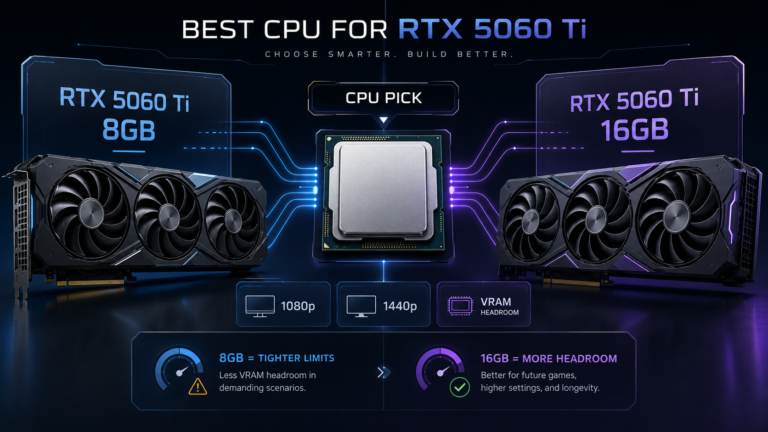
Looking at a cheaper RTX 50-series card instead? Read our best CPU for RTX 5060 Ti guide to understand how the 8GB and 16GB versions change the smarter upgrade path.
Best AM4 upgrade for RTX 5070 and RTX 5070 Ti
If you are already on AM4, the Ryzen 7 5700X3D is the cleanest value upgrade before a full platform rebuild. It lets you keep DDR4 memory and your existing motherboard, assuming your board supports it with the correct BIOS.
Stay on AM4 when
You already have a decent B450, B550, X470, or X570 board, your DDR4 RAM is stable, and your main target is 1440p or 4K gaming.
Move to AM5 when
You want DDR5, PCIe 5.0, a longer upgrade path, stronger high-refresh gaming, and a newer motherboard platform.
Do not compare only CPU price. Compare the full platform cost: motherboard, RAM, cooler compatibility, BIOS setup, and time spent rebuilding.
Best Intel CPU for RTX 5070 and RTX 5070 Ti
The best Intel option here is Core Ultra 7 265K or Core Ultra 7 265KF. It makes sense if your PC is not only for gaming. Intel lists the Core Ultra 7 265K as a 20-core desktop CPU with 8 performance cores, 12 efficient cores, and up to 5.5 GHz boost on its official Core Ultra 7 265K spec page.
For pure gaming, Ryzen X3D chips remain easier to recommend. For gaming plus streaming, recording, editing, browser tabs, Discord, and background tools, Intel becomes a fair choice. The 265KF is similar but lacks integrated graphics, so the normal 265K is safer if you want backup display output for troubleshooting.
Does DDR5 or PCIe 5.0 matter?
DDR5 is system memory used by newer platforms like AM5 and LGA1851. PCIe 5.0 is the newer connection standard used by motherboards, GPUs, and fast storage. Both are good to have, but neither should scare you into a full rebuild without checking your real bottleneck first.
| Feature | What it means | Gaming impact |
|---|---|---|
| DDR5 | Faster current-generation system memory | Helps platform runway and some CPU-sensitive games, but DDR4 AM4 can still be useful |
| PCIe 5.0 | Newer motherboard connection standard | Good for future-proofing, not a magic FPS fix by itself |
| VRAM | Memory on the graphics card | Matters more at higher texture settings, ray tracing, 1440p, and 4K |
For most gamers, the practical question is simpler: does your CPU keep the GPU fed in your real games? If yes, DDR5 and PCIe 5.0 are upgrade-path features, not emergency fixes.
What if you already own a strong CPU?
If you already own a Ryzen 7 7800X3D, Ryzen 7 7700X, Ryzen 5 7600, Core i5-13600K, Core i5-14600K, or a similar modern CPU, do not assume you need to replace it for RTX 5070 or RTX 5070 Ti. Test first, especially at 1440p and 4K.
These older cluster pages help show the same pattern: CPU GPU balance changes with GPU tier, game type, and resolution. The best upgrade is the part that fixes your actual limit, not the part with the loudest online recommendation.
How to check your RTX 5070 bottleneck
Do not guess. Check the system while playing the games you actually care about.
- Check GPU usage. If the GPU is not staying heavily loaded in demanding scenes, the CPU may be holding back the card.
- Check per-core CPU usage. One maxed-out CPU thread can limit a game even when total CPU usage looks normal.
- Watch frame time. Frame time tells you how smooth the game feels from frame to frame.
- Check 1% lows. 1% lows show the slower frames that cause stutter and uneven feel.
- Confirm RAM speed. Enable XMP or EXPO if your RAM is running at default speed.
- Check thermals. A hot CPU or GPU can throttle and look like a bottleneck.
- Remove fake limits. Disable FPS caps, heavy background apps, and broken in-game settings before judging.
- Use a calculator as a first check. Run your parts through the free CPU and GPU bottleneck checker, then verify with real usage data.
Need the deeper explanation? Read how a bottleneck calculator works and how accurate bottleneck calculators are. If the issue is confirmed, use the guide to fix a confirmed CPU bottleneck or diagnose a GPU-side limit.
Final verdict
The best CPU for RTX 5070 is not one fixed answer. It depends on resolution, refresh rate, current platform, and how much you want to spend.
Best pick for high-FPS gaming and strongest frame-time consistency.
Best money-saving option for 1440p and 4K builds.
Good middle pick when you want more CPU headroom than Ryzen 5.
Best upgrade before replacing motherboard and DDR4 RAM.
Best fit when gaming, streaming, editing, and multitasking all matter.
At 4K, put more budget toward GPU, monitor, storage, and cooling first.
Before buying, run the exact CPU and GPU through the BottleneckLab calculator and compare the result by resolution.
Frequently asked questions
Will a Ryzen 5 5600 bottleneck an RTX 5070?
It can show CPU-side pressure at 1080p high refresh, especially in esports and CPU-heavy games. At 1440p and 4K, the GPU usually takes more of the load. Compare it with the Ryzen 5 5600 RTX 4070 bottleneck guide to judge whether your upgrade path is sensible.
Is the RTX 5070 Ti worth it without a high-end CPU?
Yes, mainly at 1440p and 4K. A high-end CPU matters more if you play at 1080p high refresh or want stronger 1% lows in CPU-heavy games.
Do I need DDR5 RAM for the RTX 5070?
No. DDR5 is useful on newer platforms, but an AM4 system with a Ryzen 7 5700X3D and good DDR4 can still be a smart upgrade path.
What is the cheapest CPU that still makes sense?
For a new AM5 build, Ryzen 5 9600X is the easiest value pick. For an existing AM4 build, Ryzen 7 5700X3D can be the better total-cost upgrade.
How do I know if my CPU is bottlenecking my GPU?
Watch GPU usage, per-core CPU usage, 1% lows, and frame time while gaming. Then compare the same pairing in the BottleneckLab calculator.
Is Ryzen 7 9800X3D overkill for RTX 5070?
At 4K, it can be more CPU than many players need. At 1080p high refresh, competitive games, simulation titles, and CPU-heavy workloads, it makes more sense.
Is Ryzen 7 5700X3D still good for RTX 5070?
Yes, especially for AM4 owners who want to keep their motherboard and DDR4 RAM. It is a practical CPU-only upgrade before moving to AM5.
Is Intel Core Ultra 7 good for RTX 5070 Ti?
Yes. Core Ultra 7 265K and 265KF make sense for gaming plus streaming, recording, editing, or multitasking. Ryzen X3D is still the easier pure-gaming pick.
Does 4K gaming need a better CPU?
Not usually. At 4K, the GPU tends to carry more of the load. Upgrade the CPU only if testing shows low GPU usage, weak 1% lows, or clear CPU-side pressure.
Should I upgrade CPU or GPU first?
Upgrade the part that is actually limiting your games. If GPU usage is already high, the GPU is probably your limit. If GPU usage is low while one or two CPU cores are busy, the CPU may be the next upgrade.