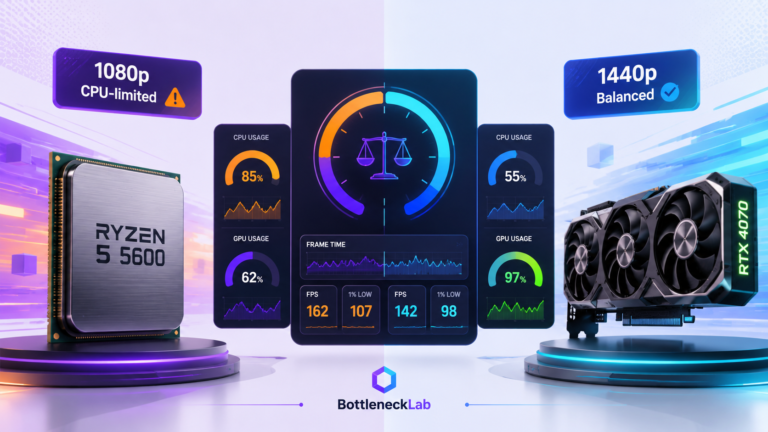
The i5-12400F and RTX 4070 can be a smart pairing, but the result changes by resolution. At 1440p, the match is usually healthy. At 1080p high refresh rates, the CPU can become more visible because the RTX 4070 has less pixel work and can wait for the processor.
Want to test another CPU and GPU combo? Run it through the BottleneckLab calculator and compare the result by resolution.
For most 1440p gaming, the i5-12400F does not bottleneck the RTX 4070 in a way that should worry normal users. The GPU usually becomes the main limit, which is healthy.
At 1080p high refresh rates, especially 144Hz to 240Hz competitive gaming, the i5-12400F can start to limit the RTX 4070. The issue is usually frame-time consistency and 1% lows, not just average FPS.
This is a specific diagnostic guide for the i5-12400F and RTX 4070 pairing. The actual calculator stays on the BottleneckLab homepage. Use this article to understand what the result means at 1080p, 1440p, and 4K before you buy a new CPU.
Why the i5-12400F Can Bottleneck the RTX 4070
The Intel Core i5-12400F is a 6-core, 12-thread Alder Lake processor. It is still a useful budget gaming CPU, especially because many LGA1700 systems can use DDR4 memory and keep total platform cost low. The RTX 4070 is a much stronger graphics card than the older budget GPUs that were commonly paired with this CPU.
A bottleneck happens when one part of the system waits on another part. In games, the CPU prepares game logic, physics, draw calls, AI, input, and engine tasks. The GPU then renders the frame. If the CPU cannot prepare frames fast enough, the RTX 4070 may sit below full usage even though the GPU itself has more performance available.
This is why resolution matters. At 1080p, the GPU finishes frames quickly and the CPU has to keep feeding it. At 1440p, the RTX 4070 has more pixels and effects to render, so the CPU has more breathing room. At 4K, the GPU is usually the main limit.
For official specifications, see Intel’s Core i5-12400F product page and NVIDIA’s RTX 4070 family page.
Do not treat any bottleneck percentage as a perfect measurement. Game engine, RAM speed, background apps, drivers, settings, thermals, and refresh rate can all change the result. Think of the estimate as a warning zone, then confirm with real gameplay monitoring.
i5-12400F + RTX 4070 Bottleneck by Resolution
The same CPU and GPU can behave very differently depending on resolution. This is why a pairing that looks limited at 1080p can feel much healthier at 1440p.
| Scenario | Likely pressure | Practical verdict |
|---|---|---|
| 1080p 60Hz AAA gaming | Low CPU pressure | Usually fine. The RTX 4070 has enough headroom, and the i5-12400F can normally support this target. |
| 1080p 144Hz competitive gaming | Moderate CPU pressure | Good in many games, but CPU-heavy titles may show weaker 1% lows or uneven frame time. |
| 1080p 240Hz esports | Higher CPU pressure | The i5-12400F can become the ceiling. A stronger CPU makes more sense here. |
| 1440p 60 to 100Hz AAA gaming | Low CPU pressure | This is the healthiest use case. The RTX 4070 usually does most of the work. |
| 1440p 144Hz gaming | Low to moderate pressure | Still a practical pairing. CPU limits appear mainly in demanding engines or high-FPS scenes. |
| 4K gaming | GPU-limited | The RTX 4070 becomes the main limit. CPU upgrade is rarely the first move. |
Does the i5-12400F bottleneck the RTX 4070 Super?
At 1440p, the i5-12400F can still be a reasonable match for the RTX 4070 Super in graphically demanding games. The RTX 4070 Super has more GPU headroom than the standard RTX 4070, so CPU-side pressure may appear sooner at 1080p high refresh rates, in simulation games, or in titles that depend heavily on one or two CPU cores.
1080p gaming
At 1080p, the RTX 4070 can render many frames quickly. That makes the CPU more important because it has to prepare frames fast enough to match your refresh-rate target. In esports titles, large multiplayer scenes, or CPU-heavy game engines, the i5-12400F may start to limit the card.
If your main question is why 1080p results look CPU-heavy, read the 1080p bottleneck interpretation guide.
1440p gaming
At 1440p, the RTX 4070 has more rendering work per frame. This makes the i5-12400F and RTX 4070 pairing much more reasonable. For most 1440p AAA gaming, the GPU becomes the natural performance ceiling, which is the outcome you want from a balanced gaming build.
For resolution-specific context, see why 1440p results often look more balanced.
4K gaming
At 4K, the RTX 4070 is usually the limiting part. The i5-12400F has more time between frame submissions because the GPU is busy with heavier pixel and shader work. If 4K performance is low, reducing GPU-heavy settings or upgrading the GPU is usually more relevant than changing the CPU.
The i5-12400F and RTX 4070 pairing makes the most sense for 1440p gaming. If your monitor is 1440p and your target is smooth AAA gameplay rather than 240Hz esports, you probably do not need to upgrade the CPU first.
Frame Time Matters More Than Average FPS
Average FPS can hide the real problem. A system can average a high frame rate while still feeling uneven if the CPU creates frame-time spikes during busy scenes.
With the i5-12400F and RTX 4070 at 1080p, the average FPS may look acceptable in many games. The issue is whether the CPU can keep frame delivery consistent when the scene becomes heavy. Large player counts, dense physics, open-world city areas, background apps, and streaming tools can all increase CPU pressure.
Average FPS
Useful for a quick performance overview, but it can hide short stutters and uneven pacing.
1% lows
Better for judging smoothness because it shows how the system behaves during slower moments.
Frame time
The best signal for stutter. Spikes often reveal CPU pressure before average FPS looks bad.
For real monitoring, tools like MSI Afterburner can help you watch GPU usage, CPU usage, temperature, and frame time during gameplay.
i5-12400F vs i5-13600K with RTX 4070
The i5-13600K is the most natural same-socket upgrade for many i5-12400F owners. It adds more cores, higher boost behavior, and E-cores that can help with background tasks. That can improve high-FPS 1080p gaming and multitasking, but it is not automatically worth buying for every RTX 4070 owner.
| CPU | Best with RTX 4070 | Upgrade value |
|---|---|---|
| Intel Core i5-12400F | 1440p gaming, 1080p 60Hz, budget builds | Good baseline. Keep it if your games feel smooth. |
| Intel Core i5-13600K | 1080p 144Hz to 240Hz, streaming, heavier multitasking | Strong if CPU pressure is confirmed. Less urgent for 1440p AAA gaming. |
The i5-13600K is faster, but it also draws more power and needs better cooling than the i5-12400F. Before upgrading, factor in motherboard BIOS support, cooler quality, power supply headroom, and whether your current games actually show CPU pressure.
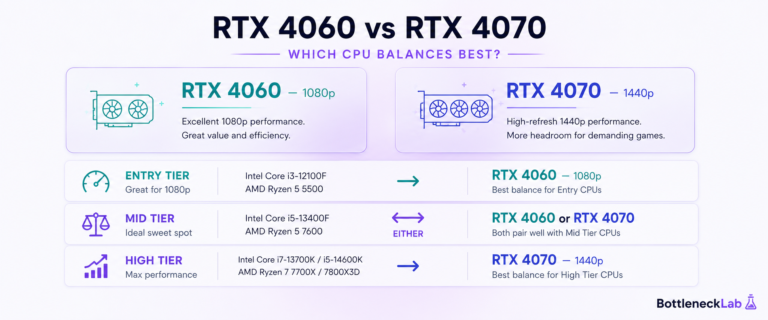
For a full CPU comparison around this GPU tier, read our guide on how to choose the best CPU for RTX 4070 by resolution.
Should You Upgrade the i5-12400F for RTX 4070?
The honest answer is: not always. Many users should buy or keep the RTX 4070 first, test the games they actually play, and upgrade the CPU only if real monitoring shows a problem.
For a wider upgrade comparison, see our best CPU for RTX 4070 guide.
Keep the i5-12400F if:
- You play mainly at 1440p.
- Your target is 60Hz to 144Hz in AAA games.
- GPU usage is high and frame time feels stable.
- You want the best value before replacing more parts.
Consider upgrading if:
- You play 1080p esports at 240Hz.
- GPU usage drops during FPS dips.
- One CPU thread is heavily loaded during stutter.
- You stream, record, or run heavy background apps while gaming.
Before spending money, enable XMP or DOCP, confirm dual-channel RAM, update GPU and chipset drivers, check CPU temperature, close background apps, and test again. These fixes can reduce CPU-side pressure without a hardware upgrade.
If CPU-side pressure is confirmed after those checks, follow the practical steps in our guide to fix a confirmed CPU bottleneck.
How to Check Your i5-12400F and RTX 4070 Bottleneck
The safest way to judge this pairing is to combine a calculator estimate with real gameplay data. Do not rely on one percentage. Watch what happens in the games, maps, and settings you actually use.
| Signal | What it means | Next step |
|---|---|---|
| GPU usage is high | The RTX 4070 is probably doing the limiting. | Lower GPU-heavy settings or use upscaling before changing CPU. |
| GPU usage drops during stutter | The CPU, RAM, or game engine may be holding back frame delivery. | Check per-core CPU usage, RAM speed, thermals, and background apps. |
| Average FPS is good but 1% lows are weak | Frame pacing may be the real issue. | Monitor frame time and test CPU-side fixes. |
| Performance improves at lower graphics settings | The GPU was likely limiting. | Tune shadows, ray tracing, anti-aliasing, textures, and upscaling. |
Test This Pairing Before You Upgrade
Run the i5-12400F and RTX 4070 at your real resolution, then compare the result with GPU usage, per-core CPU usage, frame time, RAM speed, and your monitor refresh-rate target.
Check your i5-12400F and RTX 4070 balance →Final Verdict: Is i5-12400F Enough for RTX 4070?
Yes, the i5-12400F is enough for the RTX 4070 for many gamers, especially at 1440p. This is the best use case for the pairing because the GPU does more of the work and the CPU usually has enough headroom.
At 1080p high refresh rates, the answer changes. The RTX 4070 can expose the i5-12400F’s limits in CPU-sensitive games, especially if you target 144Hz to 240Hz. In that case, the i5-13600K or another stronger CPU may improve frame-time consistency and 1% lows.
The smart move is simple: keep the i5-12400F if your RTX 4070 build feels smooth at 1440p. Upgrade only if monitoring shows low GPU usage, CPU-thread pressure, or frame-time spikes in the games you actually play.
Frequently Asked Questions
Does i5-12400F bottleneck RTX 4070?
It can, but mostly at 1080p high refresh rates. At 1440p, the i5-12400F and RTX 4070 are usually a practical pairing because the GPU handles more of the rendering work. At 1080p 144Hz or 240Hz, CPU-heavy games may show lower GPU usage, weaker 1% lows, or uneven frame time.
Is i5-12400F enough for RTX 4070 at 1440p?
Yes, the i5-12400F is generally enough for the RTX 4070 at 1440p. This is the resolution where the pairing makes the most sense. The RTX 4070 usually becomes the main performance limit in AAA games, so a CPU upgrade is not the first thing most 1440p users need.
Should I upgrade i5-12400F before buying RTX 4070?
For most 1440p gamers, no. Buy or keep the RTX 4070 first, then test your real games. Upgrade the CPU only if you see low GPU usage during FPS drops, heavy CPU-thread pressure, or bad frame-time spikes. For 1080p 240Hz esports, a CPU upgrade is more reasonable.
Is i5-13600K better than i5-12400F for RTX 4070?
Yes, the i5-13600K is better for high-FPS gaming, streaming, and heavier multitasking. The upgrade is most useful at 1080p high refresh rates. For 1440p AAA gaming, the difference is usually smaller because the RTX 4070 is more often the limiting part.
What is the best upgrade from i5-12400F for RTX 4070?
The most practical same-socket upgrade is usually the i5-13600K, assuming your motherboard supports it with the right BIOS and your cooler is strong enough. If you want a longer platform path instead of a simple CPU swap, moving to AM5 can make sense, but it costs more because it usually requires a new motherboard and DDR5 memory.