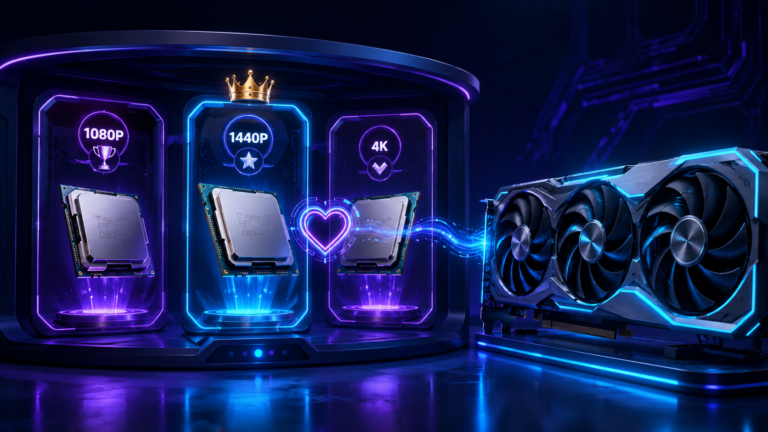
The RTX 4070 is the faster card, but the smarter buy depends on your CPU tier and resolution. At 1080p with an older or entry-level CPU, the RTX 4060 is often the cleaner match. At 1440p with a Ryzen 5 5600, i5-12400F, or stronger, the RTX 4070 usually makes more sense.
The RTX 4060 and RTX 4070 are separated by a real gap in price and raw performance, and the RTX 4070 is clearly the faster card. But faster is not automatically better for your build. The question most comparisons skip is whether your CPU can actually keep the GPU fed. A graphics card stuck at 70% usage because the processor cannot submit draw calls fast enough is a card you are only partly using. You can check your exact pairing with the free CPU and GPU bottleneck checker to see where your system sits at your chosen resolution.
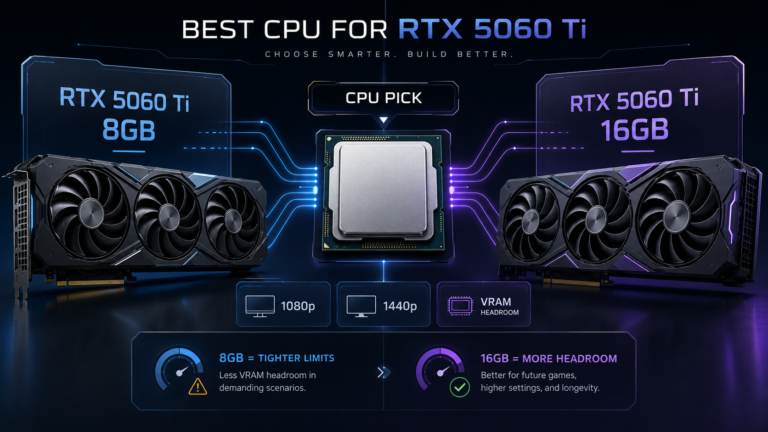
Comparing newer mid-range NVIDIA cards too? Our RTX 5060 Ti CPU guide explains why the 8GB vs 16GB version matters before choosing a processor.
Quick context for 2026: the RTX 4070 has since been joined by the RTX 4070 Super and the newer RTX 50-series (RTX 5060, 5070). Both the 4060 and 4070 support DLSS 3 Frame Generation, but DLSS 4 Multi-Frame Generation is exclusive to RTX 50-series cards. This guide still applies because both cards remain widely owned and sold, new and used.
Quick Verdict: RTX 4060 vs RTX 4070
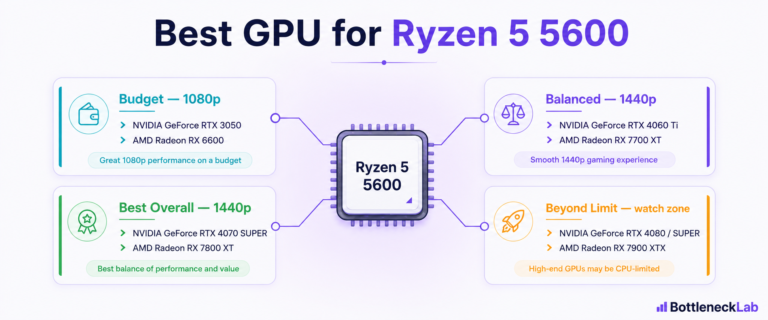
Choose by CPU tier and resolution. With entry-level CPUs (Ryzen 5 3600, i5-10400F) at 1080p, the RTX 4060 is the better-balanced choice. With mid-range CPUs (Ryzen 5 5600, i5-12400F), either works at 1080p, and the RTX 4070 pulls ahead if 1440p is the target. With high-end CPUs (Ryzen 7 5700X3D, i5-13600K, Ryzen 7 7700X), the RTX 4070 is the correct pairing because the CPU can keep it fully fed.
- 3,072 CUDA cores
- 8GB GDDR6, 128-bit, ~272 GB/s
- 115W TGP, small-PSU friendly
- Less likely to expose CPU limits
- 5,888 CUDA cores
- 12GB GDDR6X, 192-bit, ~504 GB/s
- 200W TGP
- Faster frames; needs a CPU that keeps up
Any bottleneck figures in this guide are directional estimates under typical gaming conditions, not exact measurements. Real results depend on the CPU model, game engine, resolution, refresh rate, settings, ray tracing, DLSS, RAM speed, drivers, thermals, and background apps.
RTX 4060 vs RTX 4070 Specs That Matter for Bottlenecks
The RTX 4070 has nearly double the CUDA cores, 50% more VRAM, and roughly 85% more memory bandwidth than the RTX 4060. The bandwidth gap matters most for CPU pairing: the 4070 finishes frames sooner and asks the CPU for the next one sooner, which tightens the window the processor has to keep up, especially at 1080p.
The RTX 4060 uses a cut-down Ada Lovelace die with 3,072 CUDA cores, 8GB of GDDR6 on a 128-bit bus, and about 272 GB/s of bandwidth. The RTX 4070 steps up to 5,888 CUDA cores, 12GB of GDDR6X on a 192-bit bus, and about 504 GB/s. Both support DLSS 3 with Frame Generation. The 12GB-versus-8GB difference matters at 1440p high settings in VRAM-hungry titles and matters less at 1080p; in texture-heavy 1440p AAA games, the RTX 4060’s 8GB can become a real constraint, which is another reason the 4070 suits the higher resolution.
| Spec | RTX 4060 | RTX 4070 |
|---|---|---|
| CUDA cores | 3,072 | 5,888 |
| VRAM | 8GB GDDR6 | 12GB GDDR6X |
| Memory bus | 128-bit | 192-bit |
| Memory bandwidth | ~272 GB/s | ~504 GB/s |
| TGP (power) | 115W | 200W |
| Best resolution | 1080p | 1440p |
| CPU tier match | Entry to mid-range | Mid to high-end |
| Bottleneck behavior | GPU-limited at 1080p with most CPUs | Can expose CPU limits at 1080p 144Hz+ |
Why CPU Balance Matters More Than Raw GPU Speed
Before the GPU renders a frame, the CPU has to prepare it: game logic, NPC behavior, physics, audio, multiplayer network state, and the draw calls that tell the GPU what to render. If the CPU cannot finish that work before the GPU completes the previous frame, the GPU waits. That waiting is a bottleneck, and it shows up as GPU usage sitting below 100% not because the card has spare power, but because the CPU is the real ceiling. Buying a faster GPU does not fix it; the cheaper card would have delivered the same frame rates.
Frame-time consistency is affected too. A CPU that occasionally spikes in preparation time creates brief GPU idle gaps that you feel as stutter, even when average FPS looks fine. The right pairing keeps both components near their individual ceilings at the same time, which is where smooth, high-frame-rate gameplay comes from. A useful rule: 95–99% GPU usage is healthy; consistently low GPU usage during FPS drops is the warning sign of a CPU limit.
RTX 4060 vs RTX 4070 by CPU Tier
Match the GPU to what your processor can feed. The estimates below are directional for typical gaming workloads.
Entry-Level CPUs (Ryzen 5 3600, i5-10400F)
Go RTX 4060. These six-core, previous-generation chips have enough single-thread IPC for 1080p at moderate frame rates, and the RTX 4060 is a genuinely matched pairing there. An RTX 4070 with one of these CPUs at 1080p often produces similar or only slightly higher frame rates, so part of its extra power goes unused.
For these processors, the RTX 4060 at 1080p 60–100Hz keeps the GPU as the performance ceiling while the CPU comfortably keeps up. If you want resolution-specific behavior, see why 1080p exposes CPU limits.
Mid-Range CPUs (Ryzen 5 5600, i5-12400F)
Either card works at 1080p; the RTX 4070 becomes the better pick if you target 1440p. The Ryzen 5 5600 and i5-12400F feed the RTX 4070 well at 1440p where the GPU is the constraint, but at 1080p 144Hz in CPU-heavy games a small CPU-side contribution appears.
For someone building primarily around 1080p today, the RTX 4060 with either of these CPUs avoids paying for performance a six-core chip can only partly access. If 1440p is the goal, step up to the RTX 4070. For the most common AM4 example, see the Ryzen 5 5600 and RTX 4070 bottleneck breakdown.
High-End CPUs (Ryzen 7 5700X3D, i5-13600K, Ryzen 7 7700X)
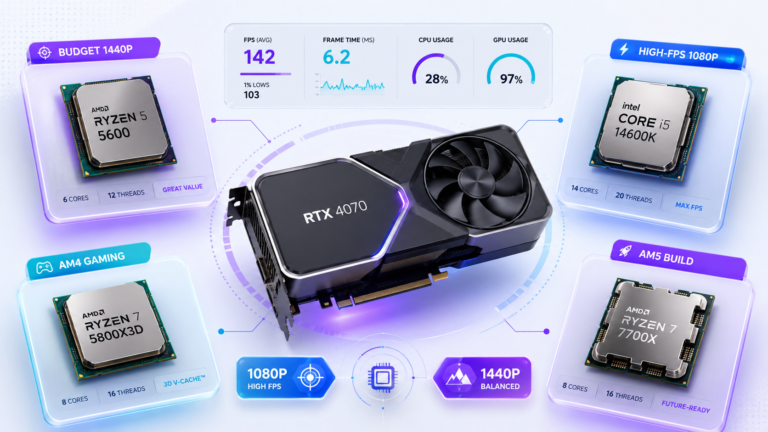
Go RTX 4070. These CPUs keep a stronger GPU fully utilized at both 1080p high refresh and 1440p. The Ryzen 7 5700X3D is the best AM4 upgrade thanks to its 3D V-Cache; the i5-13600K and Ryzen 7 7700X remove the CPU from the bottleneck equation at 1440p in most titles.
| CPU | Platform | RTX 4070 at 1080p 144Hz | RTX 4070 at 1440p |
|---|---|---|---|
| Ryzen 5 5600 | AM4 / DDR4 | ~7–10% (watch zone) | ~3–6% (good) |
| Ryzen 7 5700X3D | AM4 / DDR4 | ~3–6% (strong) | ~1–3% (excellent) |
| Intel i5-13600K | LGA1700 / DDR4-5 | ~1–4% (near-balanced) | ~0–2% (near-balanced) |
| Ryzen 7 7700X | AM5 / DDR5 | ~1–3% (near-balanced) | ~0–2% (near-balanced) |
For a full list of CPU options across budgets, see the best CPU for RTX 4070 guide.
RTX 4060 vs RTX 4070 at 1080p
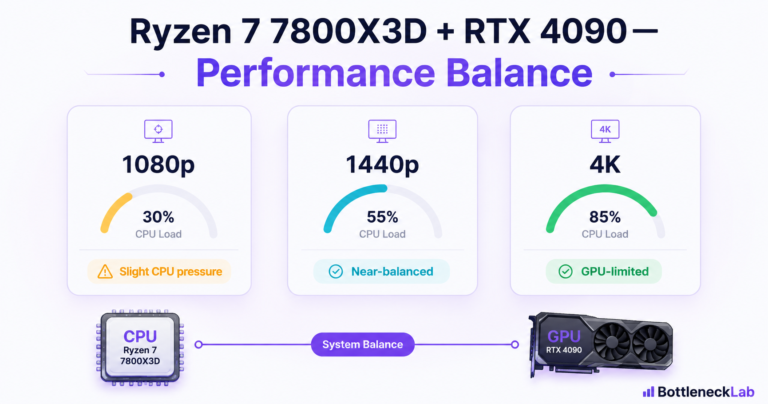
At 1080p each frame is about 2 million pixels, so the GPU finishes fast and the CPU has to deliver frames just as fast. A modest CPU keeps up with an RTX 4060 because it does not render quickly enough to expose CPU limits. An RTX 4070 renders faster, so older or mid-range CPUs start to become visible bottlenecks at high refresh.
This is why, at 1080p with an entry-to-mid CPU, the RTX 4060 is often the more efficient buy: you get most of the usable performance at a lower price and lower power. The RTX 4070 only pulls clearly ahead at 1080p when paired with a strong CPU and a high-refresh display.
RTX 4060 vs RTX 4070 at 1440p
At 1440p the GPU renders about 3.7 million pixels per frame, roughly 77% more than 1080p, so render time per frame is longer and the CPU has more time to prepare the next frame. The RTX 4070 no longer outpaces mid-range CPUs the way it does at 1080p, which makes it the better GPU choice at 1440p even with a Ryzen 5 5600 or i5-12400F.
The RTX 4060 can play at 1440p, but its 8GB VRAM and 128-bit bus show their limits in texture-heavy titles, while the RTX 4070’s 12GB and higher bandwidth handle 1440p high settings more comfortably. See how 1440p changes bottleneck results for resolution-specific estimates. The practical rule: 1080p with an entry-to-mid CPU favors the RTX 4060; 1440p, or a planned monitor upgrade, favors the RTX 4070.
When RTX 4060 Is the Smarter Choice
Pick the RTX 4060 when:
- Your CPU is a Ryzen 5 3600, i5-10400F, or similar entry-level six-core chip that would cap an RTX 4070 at 1080p.
- Your main resolution is 1080p at 60–100Hz, where the 4070’s extra power is partly blocked by an older CPU.
- Power and size matter: the 4060’s 115W TGP suits small cases, weaker PSUs, and quieter builds.
- Budget is tight: an RTX 4060 with a Ryzen 5 5600 can out-game an RTX 4070 with a Ryzen 5 3600 at 1080p, for less money.
When RTX 4070 Makes More Sense
Pick the RTX 4070 when:
- Your target is 1440p: the 12GB GDDR6X and higher bandwidth handle high settings comfortably, including VRAM-hungry titles.
- Your CPU is a Ryzen 5 5600, i5-12400F, or stronger, so the extra GPU performance is accessible rather than wasted.
- You want 1440p high-refresh: the 4070 can push 100–144 FPS in many AAA titles that the 4060 cannot reliably reach.
- You plan to keep the GPU through a future CPU upgrade, where it has more runway.
Example CPU and GPU Pairings
Three balanced starting points. Set RAM to rated speed (XMP / DOCP / EXPO), run dual-channel, and confirm Resizable BAR.
| Build | CPU | GPU | RAM | Target & balance |
|---|---|---|---|---|
| Budget 1080p | Ryzen 5 3600 | RTX 4060 8GB | 16GB DDR4-3200 | 1080p 60–100Hz; GPU-limited in most titles |
| Balanced 1440p | Ryzen 5 5600 | RTX 4070 12GB | 32GB DDR4-3600 | 1440p 60–100Hz; GPU is the primary constraint |
| High-end 1440p | Ryzen 7 7700X | RTX 4070 12GB | 32GB DDR5-6000 | 1440p 144Hz; near-balanced pairing |
If you see stutter or low GPU usage during FPS drops on any of these, here is how to fix a confirmed CPU bottleneck before spending more.
Check Your CPU-GPU Balance
The tier guidance here reflects typical gaming workloads. Your real result depends on the games you play and what runs in the background. A CPU-heavy engine, like a complex strategy game or a densely simulated open world, shows more CPU-side bottleneck than a GPU-bound AAA title at the same resolution, and running OBS or Discord adds overhead a clean benchmark never sees. The most direct check is to run your exact parts through the CPU vs GPU bottleneck test at your target resolution, then confirm against real monitoring. To know how much to trust any single number, see how accurate bottleneck calculators are.
Final Verdict
The RTX 4060 versus RTX 4070 choice comes down to resolution and CPU tier. For 1080p with an entry-to-mid CPU, the RTX 4060 is the more efficient buy: it fits the CPU’s frame-delivery rate, avoids wasted performance, and costs less to buy and run. For 1440p with a Ryzen 5 5600, i5-12400F, or stronger, the RTX 4070 earns its premium through extra bandwidth, VRAM, and rendering headroom. Confirm your real resolution first, then run the free fixes (XMP/DOCP, dual-channel RAM, Resizable BAR) before any money changes hands.
Frequently Asked Questions
Is RTX 4060 enough for gaming?
Yes, for 1080p gaming in most titles the RTX 4060 handles high settings well, and it is the right choice rather than a compromise when paired with an entry-to-mid CPU that would cap an RTX 4070 at 1080p. At 1440p its 8GB VRAM and 128-bit bus start to show in texture-heavy games, where the RTX 4070 is a better fit. Whether it is enough depends on the resolution and refresh rate you target.
Does RTX 4070 need a strong CPU?
At 1440p, no. Mid-range CPUs like the Ryzen 5 5600 and i5-12400F feed the RTX 4070 without meaningful bottleneck, because the GPU is the ceiling at that resolution. At 1080p targeting 144Hz or higher in competitive games, the 4070 benefits from a stronger CPU; with older or lower-end chips at 1080p, some of its advantage over the RTX 4060 is lost to CPU limits.
Is RTX 4070 worth it over RTX 4060?
It depends on CPU and resolution. At 1440p with a mid-to-high CPU, the RTX 4070 delivers a meaningful uplift and is worth the price gap. At 1080p with an entry-level or older CPU, part of that uplift is inaccessible due to CPU limits, making the gap harder to justify. It is also worth it if you plan to move to a 1440p monitor soon.
Which GPU has less CPU bottleneck, RTX 4060 or RTX 4070?
The RTX 4060 is less likely to expose a CPU limit because it renders frames more slowly, giving the CPU more time per frame. The RTX 4070’s higher bandwidth and faster rendering tighten that window, so it asks the CPU for the next frame sooner. At 1080p with mid-range or older CPUs this difference is visible; at 1440p, where per-frame render time is longer, both put similar demands on the CPU.
Should I buy RTX 4060 or RTX 4070 for 1080p?
For 1080p at 60–100Hz with an entry-to-mid CPU, the RTX 4060 is usually the smarter buy: it matches the CPU’s frame-delivery rate, costs less, and draws far less power. Choose the RTX 4070 at 1080p only if you have a strong CPU and a high-refresh (144Hz+) display, or you plan to move up to 1440p soon.
Should I buy RTX 4060 or RTX 4070 for 1440p?
For 1440p, the RTX 4070 is the better choice. Its 12GB of VRAM and higher bandwidth handle 1440p high settings comfortably, including texture-heavy titles where the RTX 4060’s 8GB can struggle. A Ryzen 5 5600, i5-12400F, or stronger CPU keeps the 4070 well-utilized at this resolution, so the extra performance is actually accessible.