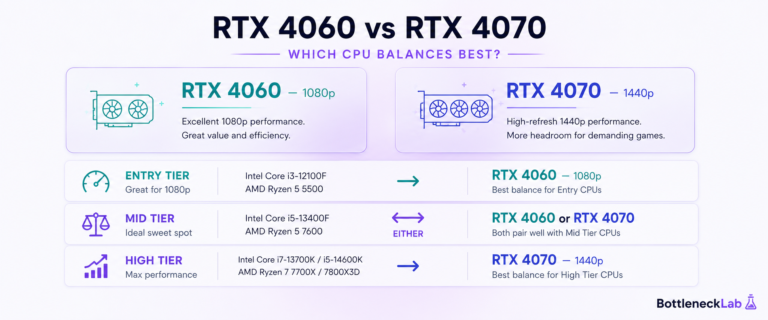
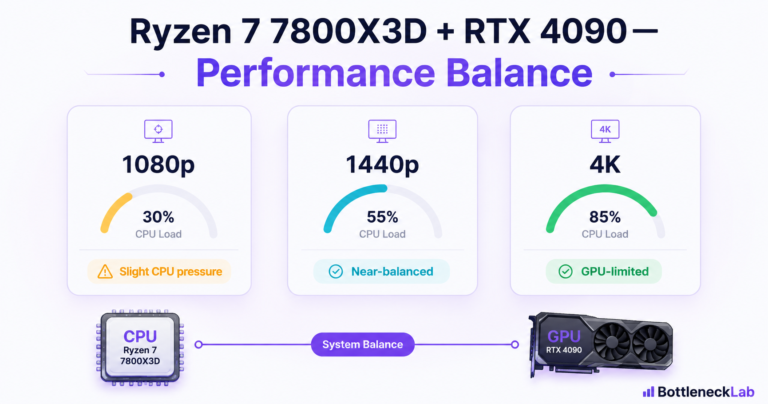
Match the card to your resolution. At 1080p, mid-range cards keep the build balanced; at 1440p the CPU has more room, so a stronger GPU makes sense. The key is buying performance you can actually use rather than the most expensive card on the shelf.
The Ryzen 5 5600 has been one of the most popular budget gaming CPUs for years, and for good reason: six Zen 3 cores, strong single-core speed, and a mature AM4 platform most builders already own. If you are upgrading the GPU in a 5600 build, the CPU is usually not the problem. The real question is which graphics card gives the biggest gain without outpacing what the processor can keep fed at your resolution. You can run your exact build through the free CPU and GPU bottleneck checker to see where the Ryzen 5 5600 stands with your target GPU.
Quick Verdict: Best GPU for Ryzen 5 5600
The best GPU for a Ryzen 5 5600 depends on resolution. For 1080p, mid-range cards like the RTX 5060, RX 9060 XT, Intel Arc B580, or used RTX 3060 / RX 6700 XT are sensible. For 1440p, RTX 4070 / RTX 4070 Super / RX 7800 XT / RX 9060 XT (16GB) class performance is the practical sweet spot before the CPU limits high-refresh gaming more often. At 4K, almost any capable GPU works because the load shifts to the card.
Any bottleneck figures in this guide are directional estimates under typical gaming conditions, not exact measurements. Real results depend on the game engine, resolution, refresh rate, settings, ray tracing, upscaling, RAM speed, drivers, thermals, and background apps.
Best GPUs for Ryzen 5 5600 to Buy by Resolution
Choose for the resolution and refresh rate you actually use. A faster graphics card is not automatically a better Ryzen 5 5600 pairing if the build is aimed at CPU-heavy 1080p high-refresh gaming.
For 1080p, the RTX 5060 8GB is the current NVIDIA path. For value-focused 1440p, the RX 9060 XT 16GB adds more graphics memory. The RX 7800 XT 16GB is the stronger Radeon 1440p option, while the RTX 5070 is the upper NVIDIA route for a mainly 1440p build.
NVIDIA GeForce RTX 5060 8GB
Amazon listing: ASUS Dual GeForce RTX 5060 8GB OC Edition
A practical current-generation NVIDIA choice for a Ryzen 5 5600 system focused on 1080p gaming, moderate power demands, and NVIDIA features.
Choose it when: 1080p is the main target and you prefer a current NVIDIA card without paying for an upper 1440p tier.
Skip it when: demanding 1440p textures and longer-term VRAM headroom matter more than the NVIDIA feature set.
Price, seller, stock, dimensions, and delivery terms can change on Amazon.
AMD Radeon RX 9060 XT 16GB
Amazon listing: GIGABYTE Radeon RX 9060 XT Gaming OC 16G
A balanced 1440p option for buyers who want 16GB of graphics memory and do not need to jump immediately to the highest practical GPU tier for the Ryzen 5 5600.
Choose it when: you want a value-focused 1440p card with 16GB of VRAM for texture-heavy games and broader memory headroom.
Skip it when: the listing is the separate 8GB version, the seller is unclear, or the selected board will not fit your case.
Price, seller, stock, dimensions, and delivery terms can change on Amazon.
AMD Radeon RX 7800 XT 16GB
Amazon listing: PowerColor Twin Fan Radeon RX 7800 XT 16GB
A stronger Radeon option for a mainly 1440p Ryzen 5 5600 build where graphics performance and 16GB of VRAM matter more than maximizing CPU-limited 1080p frame rates.
Choose it when: 1440p is the main resolution and you value strong raster performance plus 16GB of graphics memory.
Skip it when: you mainly chase CPU-heavy 1080p high-refresh performance or the selected model exceeds your PSU or case limits.
Price, seller, stock, dimensions, and delivery terms can change on Amazon.
NVIDIA GeForce RTX 5070
Amazon listing: ASUS Prime GeForce RTX 5070 12GB
The upper NVIDIA option in this module for a mainly 1440p build. It makes more sense when graphics quality and NVIDIA features matter more than extreme 1080p CPU-limited frame rates.
Choose it when: demanding 1440p gaming is the main target and you prefer the NVIDIA feature set and this card class.
Skip it when: your main use is CPU-heavy 1080p high-refresh gaming or a more balanced GPU plus a later CPU upgrade offers better total value.
Price, seller, stock, dimensions, and delivery terms can change on Amazon.
Verify whether the real limit is CPU-side, GPU-side, memory, temperature, power, or a frame cap before replacing working hardware.
Why GPU Choice Matters With the Ryzen 5 5600
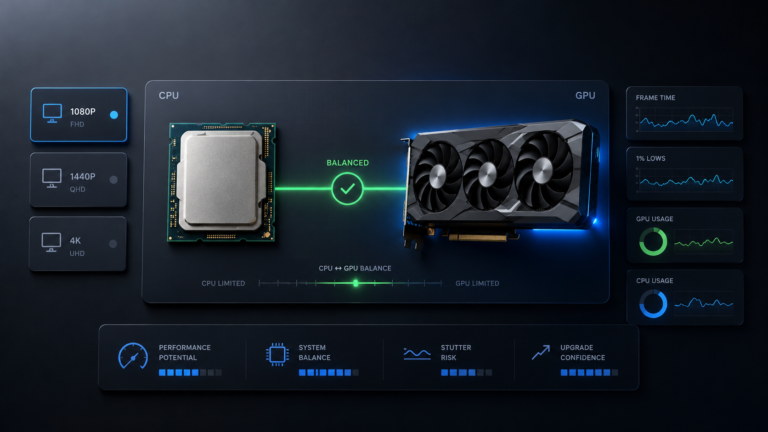
A GPU upgrade never happens in isolation. The CPU and GPU build every frame together: the processor handles game logic, NPC state, physics, and draw-call submission, then the GPU renders the frame. If the GPU is much faster than the CPU can feed it, the GPU spends time waiting. That waiting is a bottleneck, and it usually shows up as uneven frame time and weaker 1% lows before it shows up in average FPS.
The Ryzen 5 5600 has strong single-core performance for its generation, but six cores at around 4.4 GHz boost have a finite ceiling. At 1080p with a very fast GPU pushing toward 200 FPS, the per-frame preparation window shrinks under 5 milliseconds and the CPU starts to feel pressure. Choosing a GPU that matches the CPU at your target resolution keeps the card busy and stops you paying for performance you cannot actually reach. A useful detail many people miss: a GPU sitting at 95–99% usage is normal and healthy. Consistently low GPU usage during FPS drops is the real warning sign of a CPU limit.
Best GPU for Ryzen 5 5600 by Resolution
Resolution is the single most important variable, because it decides how much work lands on the GPU versus the CPU.
Best 1080p GPU for Ryzen 5 5600
At 1080p the GPU finishes frames quickly, so the CPU carries more weight per frame. Sensible current picks are the RTX 5060, RX 9060 XT (8GB), Intel Arc B580, or RX 7600; on the used market the RTX 3060 (12GB) and RX 6700 XT (12GB) are excellent value. For very high-refresh esports, the 5600 can cap frame rates in CPU-heavy titles regardless of the card.
At 1080p the GPU renders roughly 2 million pixels per frame. The Ryzen 5 5600 handles this well at normal refresh rates, but at 144Hz and above in CPU-intensive games the preparation window gets tight. If you understand why 1080p exposes CPU limits, you will buy more sensibly here: a flagship card at 1080p mostly wastes money on this CPU. The Intel Arc B580 deserves a mention as a value 1080p option with 12GB of VRAM, though it does require Resizable BAR enabled in BIOS to perform properly.
Best 1440p GPU for Ryzen 5 5600
At 1440p the GPU does far more per-frame work, giving the 5600 room to breathe, so you can pair a stronger card. The RTX 4070 / RTX 4070 Super, RX 7800 XT, RX 9060 XT (16GB), or RTX 5070 are all strong 1440p matches. This is the resolution where the Ryzen 5 5600 looks its best.
At 1440p the GPU renders nearly 3.7 million pixels per frame, roughly doubling its workload versus 1080p and giving the CPU more time between draw calls. This is why the 5600 is genuinely good for 1440p gaming: it stays balanced with mid-to-upper mid-range GPUs in most titles. See how 1440p changes bottleneck estimates for the resolution-by-resolution behavior. For 1440p longevity, favor 12GB or 16GB cards; 8GB is increasingly tight in 2026 AAA titles at high textures.
Is 4K Worth It With Ryzen 5 5600?
For the CPU, yes. At 4K the GPU renders about 8 million pixels per frame and is occupied long enough that the Ryzen 5 5600 keeps up easily, so the CPU is rarely the limit. The constraint at 4K is almost always the GPU, so the question becomes whether your card is fast enough, not whether the 5600 is.
The 5600 is a perfectly adequate CPU for a 4K build if the rest of the system supports it. Just remember that hitting high frame rates at 4K demands a powerful, expensive GPU, and upscaling like DLSS or FSR often does more for your experience at this resolution than any CPU change.
Best GPU for Ryzen 5 5600 by Tier
These tiers run from budget pairings up to the point where the CPU starts to cap the card. Treat the balance labels as estimates for typical gaming workloads.
RX 6600 / Intel Arc B580 / RTX 3060 / RX 6700 XT
Clean, balanced 1080p pairings. The RX 6600 (8GB) is the cheapest viable 1080p card; the Intel Arc B580 (12GB) adds modern features and AV1 encoding for budget streamers but needs Resizable BAR. On the used market, the RTX 3060 (12GB, DLSS support) and RX 6700 XT (12GB, stronger rasterization) are both strong value. None of these pushes the Ryzen 5 5600 hard at 1080p standard refresh rates.
Best for: builders upgrading from older budget GPUs who want solid 1080p without overspending.
RTX 5060 / RTX 4060 Ti (16GB) / RX 7700 XT / RX 9060 XT
This is where the 5600 starts to see more CPU pressure at 1080p high refresh, but stays well-matched at 1440p. The RTX 4060 Ti and RTX 5060 base models ship with 8GB of VRAM, which is worth noting for texture-heavy 1440p settings; the 16GB variants and the RX 9060 XT (16GB) resolve that for a bit more money. For 1440p AAA gaming at 60–100Hz, this tier is a practical sweet spot.
Best for: 1440p AAA gaming at 60–100Hz, or 1080p 144Hz where a small CPU-side contribution is acceptable.
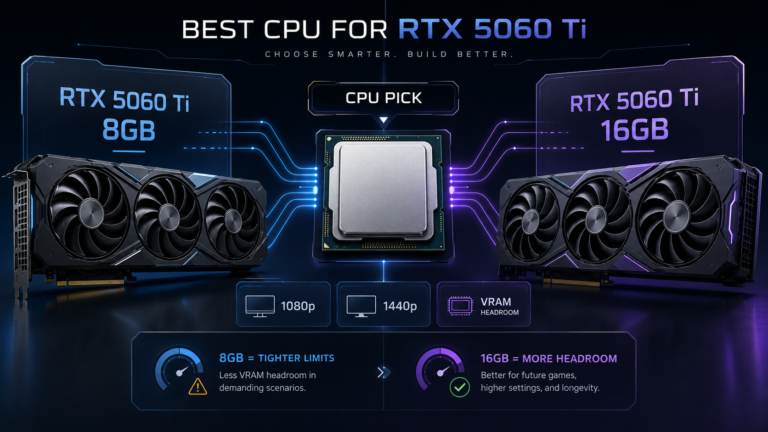
Considering an RTX 5060 Ti for this CPU? Read our best CPU for RTX 5060 Ti guide to compare the 8GB and 16GB versions before buying.
RTX 4070 / RTX 4070 Super / RTX 5070 / RX 7800 XT
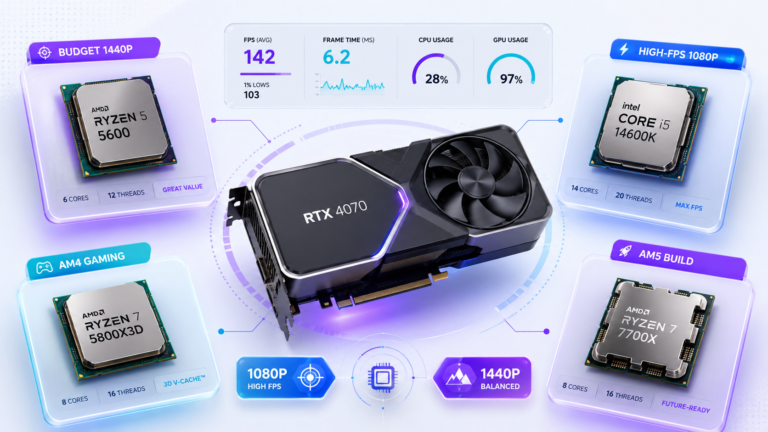
This class is the highest that stays genuinely balanced with the Ryzen 5 5600 at 1440p. There is enough per-frame GPU work that the CPU keeps up without major frame-time pressure, and these cards handle 1440p high settings well above 60Hz, with DLSS or FSR extending that further. At 1080p high-refresh they start to expose the 5600’s ceiling in CPU-demanding games, which is usable but the point where the CPU begins to cap delivery. If you want the full picture on one of the most common pairings, read the Ryzen 5 5600 and RTX 4070 bottleneck breakdown.
Best for: 1440p gamers who want the GPU to remain the limiting factor.
RTX 4070 Ti / RX 9070 XT / RTX 5070 Ti and up
At 1080p, these cards exceed what the Ryzen 5 5600 can consistently supply at high frame rates, so part of the GPU’s capability goes unused in CPU-heavy games. At 1440p they remain usable, and the extra VRAM (16GB on several) helps demanding workloads, but they are not the optimal value choice for a 5600 specifically because the CPU leaves some performance on the table. If you own one already, target 1440p rather than 1080p, or plan a CPU upgrade alongside it.
Best for: 1440p/4K, or builds where a CPU upgrade to a 5700X3D / 5800X3D is also planned.
GPU Comparison Table for Ryzen 5 5600
| GPU | VRAM | Best resolution | CPU–GPU balance | Notes |
|---|---|---|---|---|
| RX 6600 | 8GB | 1080p | Balanced | Cheapest viable 1080p card. Low power. |
| Intel Arc B580 | 12GB | 1080p / entry 1440p | Balanced | Great value; requires Resizable BAR. AV1 encode. |
| RTX 3060 (used) | 12GB | 1080p | Balanced | DLSS support. Strong used-market value. |
| RX 6700 XT (used) | 12GB | 1080p / 1440p | Balanced | Stronger rasterization than RTX 3060. |
| RTX 5060 | 8GB | 1080p | Balanced | Current-gen, DLSS 4. 8GB limits future 1440p. |
| RTX 4060 Ti | 8 / 16GB | 1440p / 1080p 144Hz | Balanced at 1440p | Pick 16GB for texture-heavy 1440p. |
| RX 9060 XT | 8 / 16GB | 1440p | Balanced at 1440p | Strong raster value; 16GB is the one to get. |
| RTX 4070 / 4070 Super | 12GB | 1440p (max balanced) | Watch zone at 1080p high-refresh | Practical ceiling for this CPU at 1440p. |
| RX 7800 XT | 16GB | 1440p | Watch zone at 1080p | Excellent 1440p raster value; 1440p use ideal. |
| RTX 4070 Ti and up | 12GB+ | 1440p / 4K only | Beyond practical at 1080p | CPU caps it at 1080p; consider a CPU upgrade. |
When the Ryzen 5 5600 Starts to Bottleneck a GPU
A bottleneck is rarely all-or-nothing. It usually appears as the symptoms below in CPU-heavy situations: competitive shooters with high player counts, large-scale strategy, dense open-world simulation, or very high refresh-rate targets. If you see these, that is the moment to verify rather than guess.
| Symptom | What it usually means |
|---|---|
| GPU usage drops below ~90% during FPS dips | CPU-side limit; the GPU is waiting for frames. |
| Weak 1% lows despite a high average FPS | Frame-time spikes, common in CPU-heavy engines. |
| Stutter in crowded scenes or big multiplayer fights | CPU preparation delays under load. |
| FPS stops scaling when you lower graphics settings | You are CPU-bound, not GPU-bound. |
If these match what you see, here is how to fix a confirmed CPU bottleneck before spending on hardware.
Best Ryzen 5 5600 Build Examples
Three balanced starting points. Set RAM to its rated speed with DOCP/XMP, and always run two sticks in dual-channel.
| Build | GPU | RAM | Target |
|---|---|---|---|
| Budget 1080p | RX 6600 or RTX 5060 | 16GB DDR4-3200 dual-channel | 1080p / 60–120Hz |
| Balanced 1440p | RX 9060 XT 16GB or RTX 4060 Ti 16GB | 32GB DDR4-3600 dual-channel | 1440p / 60–100Hz AAA |
| Max GPU pairing | RTX 4070 Super or RX 7800 XT | 32GB DDR4-3600 dual-channel | 1440p / 100–144Hz |
If you later move to a 5700X3D or 5800X3D, the max-pairing GPU has headroom to grow with the faster CPU, which is a cheap way to extend an AM4 build.
Free Fixes Before Upgrading Your GPU
On a Ryzen system, a few free BIOS steps can close part of any CPU-side bottleneck before you spend anything:
| Free fix | Why it matters on Ryzen |
|---|---|
| Enable DOCP / XMP | Runs DDR4 at its rated 3200–3600 MHz instead of the 2133 default. Infinity Fabric speed is tied to memory, so this is a real gain. |
| Run dual-channel RAM | Two sticks roughly double memory bandwidth versus one. Single-channel is a meaningful drag on AMD. |
| Enable Resizable BAR / SAM | Improves CPU–GPU communication on supported cards, especially Intel Arc. |
| Close background apps | OBS, Discord, and browser tabs eat CPU headroom that games need. |
Check Your Ryzen 5 5600 GPU Bottleneck
The tier guidance above is based on typical gaming workloads. Your real result depends on the games you actually play and how your system is set up. A simulation-heavy or dense multiplayer title pushes the CPU harder than a GPU-bound AAA renderer at the same resolution. The most direct way to sanity-check a specific pairing is to run it through the CPU vs GPU bottleneck test with your Ryzen 5 5600 and target GPU, then confirm against real monitoring. If you want to know how far to trust any single number, see how accurate bottleneck calculators are.
Final Recommendation
The Ryzen 5 5600 pairs well with a wide range of GPUs when you match the card to your resolution. For 1080p, the RTX 5060, RX 9060 XT, Intel Arc B580, or a used RTX 3060 / RX 6700 XT (both 12GB) are clean picks. For 1440p, the RTX 4070 Super or RX 7800 XT class is the practical sweet spot before the CPU starts to cap a high-refresh experience. Before any upgrade, enable DOCP and confirm dual-channel RAM, two free steps that often help more than people expect.
Frequently Asked Questions
What is the best GPU for Ryzen 5 5600?
It depends on resolution. For 1080p, the RTX 5060, RX 9060 XT, Intel Arc B580, or a used RTX 3060 / RX 6700 XT (both 12GB) are sensible, balanced choices. For 1440p, an RTX 4070 Super or RX 7800 XT class card is the practical sweet spot. Buying far above that mostly wastes money on this CPU, especially at 1080p, so match the card to the resolution and refresh rate you actually play at.
What GPU is best for Ryzen 5 5600 at 1440p?
At 1440p the GPU does most of the per-frame work, so the 5600 can keep up with stronger cards than at 1080p. The RTX 4070 / RTX 4070 Super and RX 7800 XT are excellent matches, and the RX 9060 XT (16GB) is strong value. The RTX 4060 Ti 16GB is a solid step down if budget is tight. Favor 12GB or 16GB of VRAM for 1440p longevity.
Does Ryzen 5 5600 bottleneck RTX 4070?
At 1440p the pairing is well-matched and the RTX 4070 is usually the limiting factor, with only a small CPU-side contribution in most games. At 1080p targeting 144Hz–165Hz in CPU-heavy titles it becomes more noticeable, mainly as weaker 1% lows. For 1440p gaming specifically, the 5600 handles the RTX 4070 without meaningful loss. See the full Ryzen 5 5600 with RTX 4070 at 1440p breakdown.
Is RTX 4060 Ti good for Ryzen 5 5600?
Yes, especially at 1440p 60–100Hz in AAA games, where the GPU is usually the limiting factor. At 1080p 144Hz there is some CPU-side involvement but it stays acceptable for most players. The main caveat is the 8GB VRAM on the base model, which can be tight at 1440p high textures; the 16GB variant solves that at a higher price.
What GPU is too powerful for Ryzen 5 5600?
At 1080p targeting very high frame rates, cards from the RTX 4070 Ti and RX 9070 XT class upward push past what the 5600 can consistently feed, so part of the GPU goes unused in CPU-heavy games. At 1440p the picture improves because the GPU’s workload rises. For a pure 1080p build, the RTX 4070 class is the practical ceiling; for 1440p you have a bit more headroom.
Should I upgrade my Ryzen 5 5600 before buying a new GPU?
Usually not first. For 1080p standard refresh and most 1440p gaming, the 5600 keeps up fine. Start with the free fixes (DOCP, dual-channel RAM, Resizable BAR). Consider a CPU upgrade to a 5700X3D or 5800X3D only if you chase 1080p high-refresh esports or pair a high-end GPU and see low GPU usage during FPS drops. On AM4 that upgrade is a cheap, effective way to lift the ceiling.