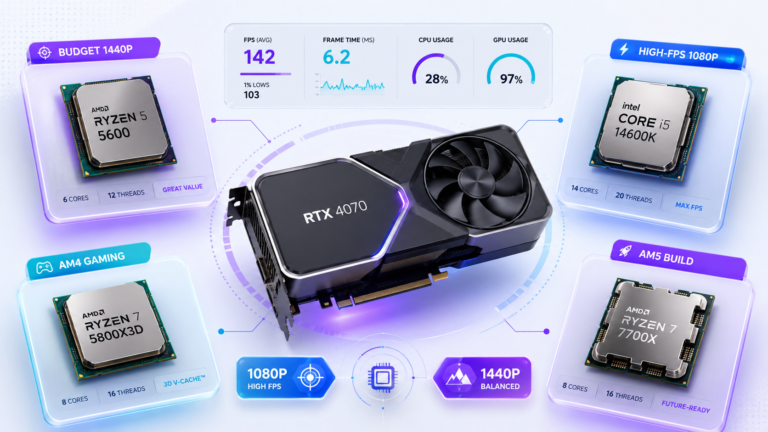
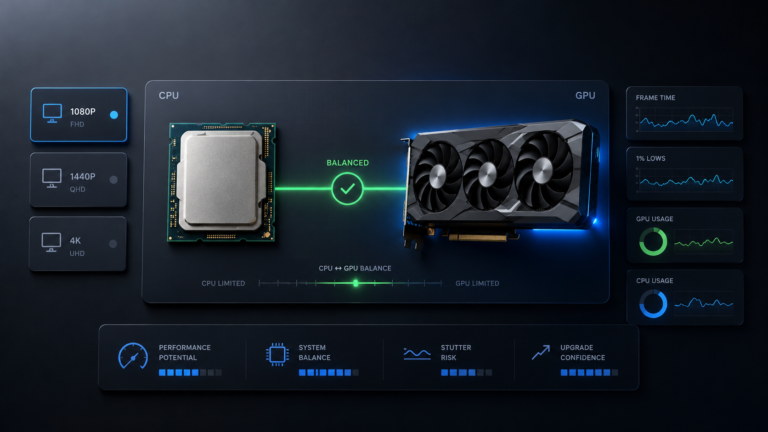
Yes, the Ryzen 5 5600 can bottleneck RTX 4070 at 1080p high-FPS settings, but the same pairing is usually much more balanced at 1440p. The real answer depends on your resolution, FPS target, game engine, RAM setup, background apps, and whether the RTX 4070 is actually being fully used.
Quick jump
Ryzen 5 5600 is usually enough for RTX 4070 at 1440p. At 1080p, especially in esports or low-settings high-FPS gameplay, the CPU can become the ceiling before the RTX 4070 reaches full usage. Before upgrading, you should check RAM configuration, XMP or DOCP, Resizable BAR support, temperatures, background apps, and real CPU/GPU usage in the games you actually play.
You are probably not asking this because you love bottleneck percentages. You are asking because you do not want to waste money on an RTX 4070 if your Ryzen 5 5600 cannot feed it properly.
That fear is understandable, but the answer is not “yes, bad pairing” or “no, perfect pairing.” This combination is good at 1440p, more limited at 1080p high FPS, and heavily affected by RAM setup.
Do not judge this pairing from one percentage alone. Use the article below to understand the pattern, then check your CPU-GPU balance at both 1080p and 1440p before deciding whether a CPU upgrade is worth it.
Ryzen 5 5600 and RTX 4070 Pairing Overview
The Ryzen 5 5600 is a 6-core, 12-thread Zen 3 CPU. It is not a flagship processor, but it still has strong gaming value because Zen 3 offers good single-core performance, healthy cache, and enough threads for most modern games.
The RTX 4070 is much stronger on the GPU side. It is built for high-quality 1440p gaming, has 12GB of graphics memory, and supports modern NVIDIA features such as DLSS and ray tracing. That makes the RTX 4070 powerful enough to expose CPU limits at 1080p, especially when graphics settings are lowered to chase very high FPS.
Ryzen 5 5600 role
The CPU prepares frames, handles game logic, feeds draw calls, manages physics, and keeps background tasks from disturbing frame pacing.
RTX 4070 role
The GPU renders the image, handles shading, lighting, textures, ray tracing, upscaling workload, and most visual quality settings.
If you want to verify the hardware specs directly, use the official pages for AMD Ryzen 5 5600 specifications and NVIDIA RTX 4070 specifications.
Ryzen 5 5600 Bottleneck RTX 4070 at 1080p
At 1080p, the RTX 4070 can render frames very quickly because each frame contains fewer pixels than 1440p or 4K. That means the GPU often finishes its work early and waits for the CPU to prepare the next frame.
This is where the Ryzen 5 5600 can become the visible limit. The more FPS you chase, the faster the CPU has to feed the GPU. At 144Hz or 240Hz targets, especially in competitive games, this can show up as lower GPU usage, weaker 1% lows, stuttering, or frame-time spikes.
What a 1080p CPU bottleneck usually looks like
- GPU usage is lower than expected while FPS stops scaling.
- Lowering shadows, anti-aliasing, or texture quality does not improve FPS much.
- One or two CPU cores look heavily loaded, even if total CPU usage is not always 100%.
- Frame time spikes appear in busy fights, large multiplayer scenes, cities, or physics-heavy areas.
- Average FPS looks good, but 1% lows feel inconsistent.
CPU has to feed frames faster
The RTX 4070 finishes frames quickly, so the Ryzen 5 5600 may become the ceiling in CPU-sensitive games.
Most likely in: esports, low settings, 144Hz to 240Hz targets, simulation-heavy games.
GPU does more of the work
The RTX 4070 spends more time rendering each frame, giving the Ryzen 5 5600 more breathing room.
Most likely in: AAA games, high settings, ray tracing, DLSS Quality, 60 to 144 FPS targets.
Ryzen 5 5600 Bottleneck RTX 4070 at 1440p
At 1440p, the bottleneck situation usually improves. The RTX 4070 has more pixels and visual work to process, so the graphics card becomes the main performance limit more often. This is normally what you want in a gaming PC.
For 1440p AAA gaming, the Ryzen 5 5600 and RTX 4070 is a sensible pairing. You may not get the absolute best possible 1% lows compared with a newer X3D CPU, but the difference is often much smaller than it would be at 1080p high-FPS settings.
| Gaming scenario | Likely limit | Upgrade urgency | Best action |
|---|---|---|---|
| 1080p esports, low settings, 144Hz to 240Hz | Often CPU-side | Medium to high | Check RAM, cap FPS, then consider 5700X3D / 5800X3D. |
| 1080p AAA, high or ultra settings | Mixed | Low to medium | Monitor real usage before upgrading. |
| 1440p AAA, high settings | Usually GPU-side | Low | Keep Ryzen 5 5600 unless frame-time issues are obvious. |
| 1440p simulation, strategy, large multiplayer | Game-dependent | Medium | Watch per-core CPU usage and 1% lows. |
Free Fixes Before You Upgrade
Do not buy a new CPU until you check the free fixes first. Many Ryzen 5 5600 + RTX 4070 systems underperform because of RAM configuration, BIOS settings, background apps, or temperature issues.
Use dual-channel RAM
Two matched RAM sticks in the correct motherboard slots can help CPU-limited gaming and 1% lows. A single RAM stick can make the system feel worse than the CPU really is.
Enable XMP or DOCP
Your DDR4 kit may run at slow default speed until XMP or DOCP is enabled. Ryzen 5000 CPUs can benefit from proper RAM speed, especially at 1080p.
Check Resizable BAR
Resizable BAR, also known as Smart Access Memory on supported AMD platforms, can help in some supported games, but it is not guaranteed. Treat it as a free setting to test, not a promised FPS upgrade.
Close background apps
Chrome tabs, recording tools, launchers, overlays, and RGB apps can steal CPU time. Test with unnecessary apps closed before judging the hardware.
Watch temperatures
Thermal throttling can look like a bottleneck. Check CPU temperature, GPU temperature, boost clocks, and frame time during real gameplay.
Measure frame time
Average FPS alone can hide problems. Smooth frame time and stable 1% lows matter more than a big number in one benchmark scene.
For Resizable BAR, NVIDIA says you can verify the feature inside NVIDIA Control Panel by opening System Information and checking whether “Resizable BAR” says Yes. See NVIDIA Resizable BAR support for the official verification method.
If your monitoring data points to the CPU side, follow the detailed troubleshooting steps in our guide on how to fix a CPU bottleneck. If the GPU is the one maxed out at higher settings, compare it with our guide on how to fix a GPU bottleneck.
Thinking about moving beyond the RTX 4070 class? Read our best CPU for RTX 5070 and RTX 5070 Ti guide before deciding whether your next upgrade should be CPU-first or GPU-first.
Should You Upgrade Ryzen 5 5600 for RTX 4070?
For most 1440p players, no. The Ryzen 5 5600 does not need to be replaced just because you are using an RTX 4070. If the GPU is already the main limit at 1440p, a CPU upgrade may only produce a small improvement in the games you actually play.
A CPU upgrade makes more sense when you play at 1080p, target very high refresh rates, or play CPU-heavy titles where 1% lows and frame time matter more than visual quality settings.
- You target 240Hz at 1080p.
- You play competitive CPU-sensitive games.
- Your RTX 4070 usage stays low while FPS is capped by CPU behavior.
- Your 1% lows are weak even after RAM and BIOS fixes.
- You play simulation-heavy games that stress CPU threads.
- You mainly play 1440p AAA games.
- Your RTX 4070 usage is already high.
- You target 60 to 144 FPS instead of extreme FPS.
- Your issue is caused by RAM, thermals, drivers, or background apps.
- You are on a tight budget and the system already feels smooth.
Is Ryzen 5 5600X a good upgrade from Ryzen 5 5600?
No. The Ryzen 5 5600X is not a meaningful upgrade if you already own the Ryzen 5 5600. Both are Zen 3 6-core, 12-thread CPUs with very similar gaming behavior. The small clock difference usually does not justify buying another 6-core Zen 3 chip for this pairing.
What is the better AM4 upgrade?
The better AM4 gaming upgrade is usually Ryzen 7 5700X3D or Ryzen 7 5800X3D. Their extra 3D V-Cache can improve cache-sensitive games, 1% lows, and CPU-limited high-FPS scenarios. This is especially useful if you want better 1080p competitive performance while keeping your AM4 motherboard.
Planning a CPU upgrade? If the Ryzen 5 5600 is limiting your RTX 4070 in the games you play, compare the best CPU options for RTX 4070 before spending money on a new platform.
Should you move to AM5?
AM5 gives better long-term upgrade headroom, but it requires a new motherboard and DDR5 memory. For a user mainly playing 1440p games with an RTX 4070, a full AM5 move is often a platform upgrade, not a necessary fix for this pairing.
Stay with Ryzen 5 5600
Best for 1440p AAA gaming if your RTX 4070 usage is high and frame times are stable.
Upgrade to 5700X3D / 5800X3D
Best AM4 path for 1080p high-FPS, competitive games, and stronger 1% lows.
Move to AM5
Best for future platform headroom, but not always necessary for RTX 4070 at 1440p.
Real-World Scenarios
240Hz
Competitive gaming
If you play CS2, Valorant, Fortnite Performance Mode, Apex Legends, or similar games at 1080p low settings, the Ryzen 5 5600 can become the limiting part. The RTX 4070 may not stay fully loaded because the CPU has to prepare frames extremely quickly.
Best move: Check RAM and frame-time first. If the issue remains, 5700X3D or 5800X3D is the practical AM4 upgrade path.
AAA
Quality-focused gaming
If you play Cyberpunk 2077, Red Dead Redemption 2, Hogwarts Legacy, Alan Wake 2, or other visual-heavy games at 1440p high settings, the RTX 4070 is usually doing the heavier work. In this case, the Ryzen 5 5600 is normally acceptable.
Best move: Keep the CPU unless real monitoring shows poor 1% lows or CPU-side frame-time spikes.
Issue
Underperformance caused by memory setup
A weak RAM setup can make this pairing look worse than it really is. Single-channel RAM, slow default RAM speed, or wrong DIMM slots can hurt frame pacing and CPU-limited gaming.
Best move: Use two matched sticks, install them in the correct motherboard slots, and enable XMP or DOCP before blaming the CPU.
Final Verdict: Is Ryzen 5 5600 Good Enough for RTX 4070?
Yes, Ryzen 5 5600 is good enough for RTX 4070 if your main target is 1440p gaming. It is not the strongest CPU you can pair with the card, but it is balanced enough for most AAA games where the RTX 4070 is doing the main rendering work.
At 1080p high refresh rate, the answer changes. The Ryzen 5 5600 can limit the RTX 4070 in CPU-sensitive games, especially when targeting 144Hz, 240Hz, or very high 1% lows.
The smartest decision is not to upgrade blindly. Check RAM, XMP or DOCP, Resizable BAR, temperatures, drivers, background apps, and real monitoring data first. Then decide whether the CPU is truly holding back your experience.
Compare before you upgrade
If you are unsure whether your Ryzen 5 5600 is really holding back your RTX 4070, test the pairing at both 1080p and 1440p. The difference between those two results will tell you far more than one generic percentage.
Compare before you upgrade →Frequently Asked Questions
Does Ryzen 5 5600 bottleneck RTX 4070 at 1080p?
Yes, it can. At 1080p, especially with low settings and high refresh-rate targets, the RTX 4070 can finish frames quickly and wait for the Ryzen 5 5600 to prepare the next one. This is most noticeable in esports games, CPU-heavy multiplayer titles, and 144Hz to 240Hz gameplay. In AAA games at higher visual settings, the bottleneck is usually less severe because the GPU has more work to do.
Does Ryzen 5 5600 bottleneck RTX 4070 at 1440p?
Usually not in a serious way for standard AAA gaming. At 1440p, the RTX 4070 has more pixels and visual effects to render, so the GPU becomes the main limit more often. That is normal and healthy. CPU bottlenecks can still appear in simulation-heavy games, large multiplayer scenes, or very high-FPS targets, but the pairing is generally balanced at 1440p.
1440p context: The Ryzen 5 5600 and RTX 4070 pairing is one example of how QHD shifts more work toward the graphics card. For the bigger resolution picture, read our 1440p CPU-GPU balance guide.
Is Ryzen 5 5600 enough for RTX 4070?
Yes, Ryzen 5 5600 is enough for RTX 4070 for most 1440p gaming. It has enough single-core performance and threads for normal AAA gameplay when RAM is configured correctly. It becomes less ideal for 1080p high refresh-rate gaming, where the CPU has to feed frames faster and can limit the RTX 4070 before the GPU reaches full usage.
Should I upgrade Ryzen 5 5600 for RTX 4070?
Only upgrade if your own games show CPU-limited behavior. If you play 1440p AAA games and your RTX 4070 usage is high, a CPU upgrade may not give a major improvement. If you play 1080p competitive games, simulation-heavy titles, or struggle with poor 1% lows after fixing RAM and settings, an upgrade can make sense.
Is Ryzen 5 5600X better than Ryzen 5 5600 for RTX 4070?
The Ryzen 5 5600X is slightly faster, but it is not a worthwhile upgrade from Ryzen 5 5600 for this pairing. Both CPUs use the same Zen 3 architecture and have the same 6-core, 12-thread layout. If you already own a Ryzen 5 5600, the better AM4 upgrade is a Ryzen 7 5700X3D or Ryzen 7 5800X3D.
Is 5700X3D or 5800X3D worth it with RTX 4070?
Yes, it can be worth it if you are CPU-limited. The 5700X3D and 5800X3D are strong AM4 gaming upgrades because their 3D V-Cache helps many cache-sensitive games and can improve 1% lows. They are most useful for 1080p high refresh-rate gaming. At 1440p AAA settings, the improvement is usually smaller because the RTX 4070 is often the limiting part.
What should I check before upgrading my CPU?
Check dual-channel RAM, XMP or DOCP, Resizable BAR support, temperatures, drivers, background apps, CPU usage per core, GPU usage, and frame time. If your RTX 4070 is already highly used at 1440p, the system is probably GPU-limited, and a CPU upgrade may not change much. If GPU usage is low while frame time is unstable, the CPU or memory setup deserves closer attention.