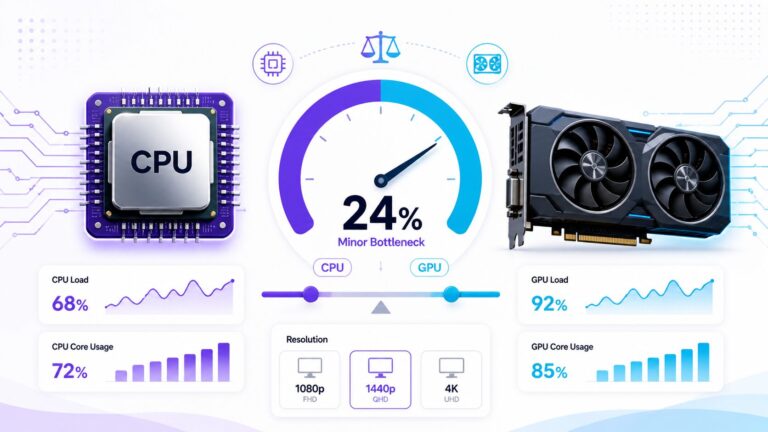
How to Check Whether PC Hardware Advice Online Is Actually Trustworthy

Choosing a new CPU, graphics card, or complete gaming PC often begins with online research. Within minutes, you can find benchmark charts, bottleneck percentages, product comparisons, forum comments, and videos recommending completely different upgrades. The amount of information is helpful, but it also creates a problem: not every confident recommendation is based on reliable testing.
Poor advice can lead you to replace the wrong component, spend more than necessary, or expect performance that your system cannot deliver. Before following any hardware recommendation, you should examine both the evidence and the source behind it. The following checks will help you separate useful guidance from unsupported claims.
1. Look for a Clearly Defined Test System

A benchmark result has little meaning without information about the computer used to produce it. Reliable hardware reviews normally identify the processor, graphics card, motherboard, RAM capacity and speed, storage, cooling, operating system, and relevant driver versions.
These details matter because changing one part of the test system can affect the result. A CPU tested with slow single-channel memory may appear weaker than the same processor using correctly configured dual-channel RAM. Likewise, thermal limits, power settings, background applications, and old drivers can reduce performance even when the main CPU and GPU remain unchanged.
Be cautious when an article publishes precise FPS figures but does not explain the test configuration. The numbers might be genuine, but readers have no practical way to interpret or reproduce them.
2. Check the Resolution, Settings, and Workload

Hardware performance is always connected to a particular workload. A graphics card that performs well at 1080p may behave differently at 1440p or 4K. Ray tracing, texture quality, upscaling, frame generation, and the chosen graphics preset can also change the workload considerably.
Target frame rate matters too. A player aiming for 240 FPS in a competitive game may encounter CPU limitations that are far less important to someone targeting 60 FPS in a visually demanding single-player title. Productivity software introduces another set of requirements: video editing, code compilation, 3D rendering, and local AI workloads do not reward hardware in exactly the same way.
3. Separate Specifications from Benchmarks
Official product specifications are useful for confirming facts such as core count, clock range, socket, memory support, graphics memory, and power requirements. For these facts, the manufacturer’s documentation is normally the best starting point.
Also distinguish synthetic benchmarks from real-world tests. Synthetic tools are useful for standardized comparisons, but one combined score cannot predict performance in every application. In-game benchmarks and application-specific tests provide better context when they reflect the work you actually plan to do.
4. Examine How the Benchmark Was Conducted
Good testing is repeatable. The reviewer should use the same scene or test sequence, keep important variables consistent, and run enough tests to identify unusual results. A single screenshot taken during random gameplay is weak evidence because load can change from one second to the next.
Average FPS is useful, but it should not be the only number considered. One-percent lows and frame-time behavior can reveal stutter that an average hides. Temperatures, clock speeds, power use, CPU activity, GPU utilization, RAM usage, and VRAM consumption may also explain why a result occurred.
5. Compare More Than One Independent Source
Never make an expensive purchase because of one chart, video, or calculator result. Compare several independent sources that disclose how they tested the hardware. You do not need every result to match exactly; small differences are normal. Instead, look for a consistent overall pattern.
User discussions can help you discover problems, but an individual comment is not universal proof. Use forum posts and social media reports as leads that require verification, especially when the user has not shared a complete system configuration.
6. Evaluate the Website Behind the Advice
The quality of an individual article matters most, but the publishing website deserves attention as well. Check whether it has a clear editorial policy, author information, review dates, sources, corrections process, and disclosure of affiliate relationships. Look through several articles to see whether the same quality standard is applied consistently.
SEO metrics can provide additional context about a domain’s online presence and backlink profile. For quick comparison, a bulk DA PA checker can show Moz Domain Authority, Page Authority, and Spam Score for multiple URLs. These are third-party comparative metrics, not proof that a hardware claim is correct, so they should be used alongside editorial and technical checks rather than as a substitute for them.

A polished design or high authority score does not guarantee accuracy. Similarly, a smaller specialist website is not automatically unreliable. Transparent sourcing and reproducible evidence remain more important than appearance or popularity.
7. Watch for Commercial Bias and Absolute Claims
Many hardware publishers earn money through affiliate links, advertising, or sponsorships. That does not automatically make their advice untrustworthy. The important questions are whether the relationship is disclosed and whether the recommendation explains meaningful trade-offs.
Be careful with content that labels one component “the best” without defining a budget, workload, resolution, or target frame rate. Reliable buying advice should explain who will benefit, who should skip the upgrade, and what alternatives offer better value under different conditions.
8. Verify Important Advice on Your Own PC
Online research can narrow your options, but measurements from your own computer provide the most relevant evidence. Use a repeatable game scene or benchmark and record a baseline before changing anything. Monitor frame time, CPU activity, GPU utilization, memory use, temperatures, and clock speeds. Change only one setting at a time, then repeat the same test.
Final Thoughts
Trustworthy PC hardware advice does not depend on confidence, dramatic percentages, or a famous website. It depends on transparent test conditions, suitable benchmarks, multiple sources, clear limitations, and results that can be checked against the real computer.
Before spending money, ask four questions: Is the test system disclosed? Does the workload match mine? Do other reliable sources show a similar pattern? Can I confirm the problem on my own PC? If the answer to any of these is no, continue investigating. A few extra minutes of verification can prevent an unnecessary and expensive upgrade.